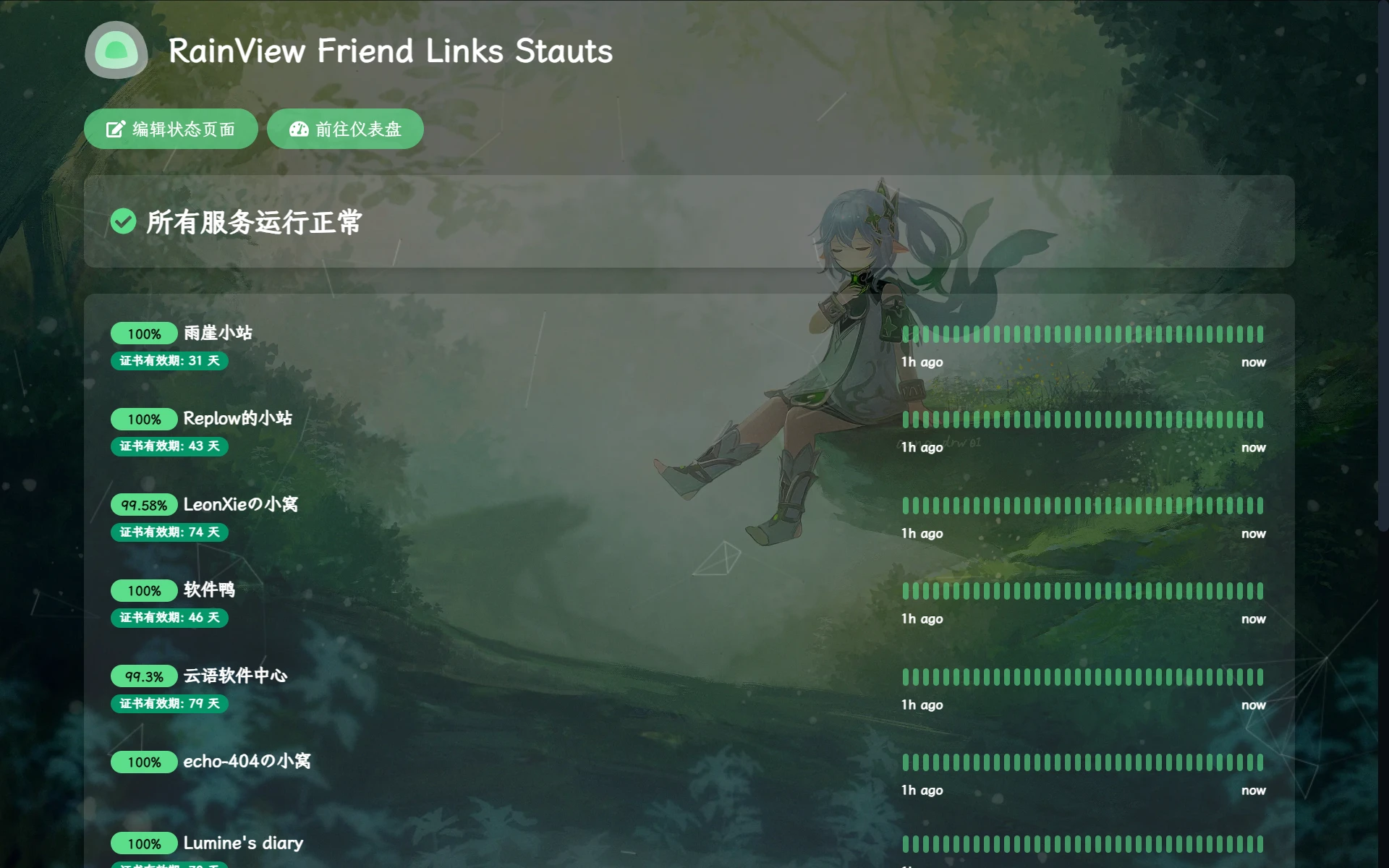
代码部分
/* 适用于 Uptime-Kuma 1.23.16 版本 */
/* 浅色模式 */
/* 添加背景 */
body.light {
    background-image: url("这里替换为自己的背景图");
    background-repeat: no-repeat;
    background-size: cover;
    background-attachment: fixed;
    background-position-x: center;
}

/* 为服务状态显示区域添加阴影和透明效果 */
.light .shadow-box:not(.alert) {
    background-color: #ffffff33;
    box-shadow: 0 4px 6px rgba(0, 0, 0, 0.1);
}
.light .monitor-list .item:hover {
    background-color: #ffffff55;
}

/* 检测时间设置为黑色 */
.light .word[data-v-636dc6a9] {
    color: #000;
}

/* 修改侧边栏背景颜色为半透明白色 */
.light .sidebar {
    background-color: #ffffffcc !important;
}
/* 深色模式 */
/* 添加背景 */
body.dark {
    background-image: url("这里替换为自己的背景图");
    background-repeat: no-repeat;
    background-size: cover;
    background-attachment: fixed;
    background-position-x: center;
}

/* 全局白色字体 */
.dark div {
    color: white;
}

/* 为服务状态显示区域添加阴影和透明效果 */
.dark .shadow-box:not(.alert) {
    background-color: rgba(255, 255, 255, 0.1);
    box-shadow: 0 4px 6px rgba(0, 0, 0, 0.1);
}

/* 鼠标悬停时,将服务状态显示区域背景色设置为半透明 */
.dark .monitor-list .item:hover,
.dark .monitor-list .item.active {
    background-color: rgba(255, 255, 255, 0.1);
}

/* 全局样式 */
/* 滚动条隐藏 */
::-webkit-scrollbar {
    display: none;
}

/* 修改“编辑状态页面”和“前往仪表盘”按钮样式 */
.btn-info {
    color: #fff;
    background-color: rgba(92, 221, 139, 0.7);  /* 修改按钮颜色为绿色,和整体的Uptime-Kuma颜色保持一致 */
    border-color: rgba(255, 255, 255, 0);  /* 修改边框为透明 */
}
.btn-info:hover {
    background-color: rgba(92, 221, 139, 0.9);  /* 鼠标悬停时按钮颜色变深 */
    border-color: rgba(255, 255, 255, 0);  /* 鼠标悬停时边框仍然为透明 */
}

/* 隐藏“服务”标识 */
h2[data-v-f71ca08e].group-title,div[data-v-b8247e57].alert-heading.p-2 {
    display: none;
}

/* 检测状态条样式为半透明 */
.beat {
    opacity: 0.6;
}
.beat:hover {
    opacity: 0.6;
}
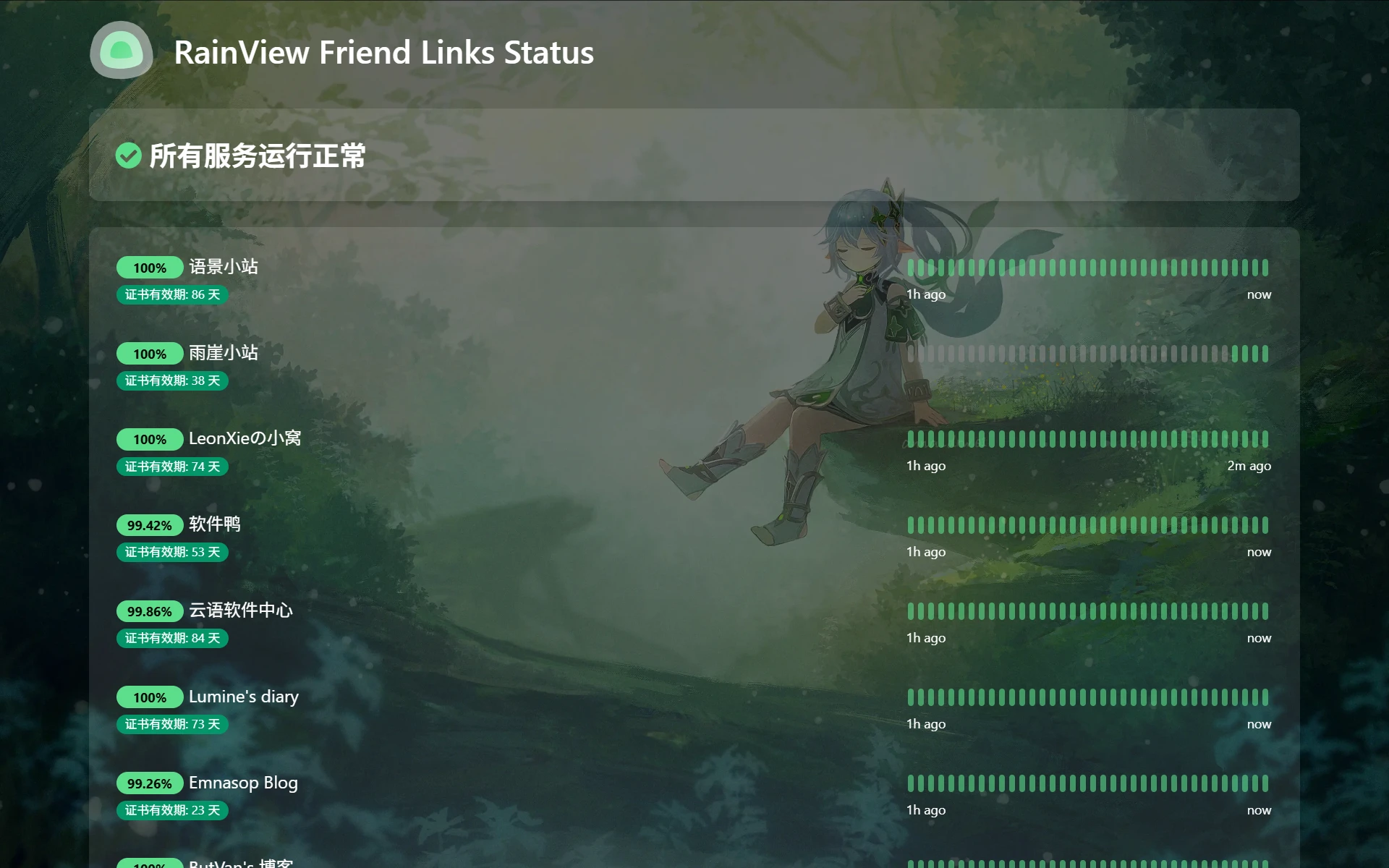
效果图
早期代码
早期只写了深色模式,浅色模式下可能不适配
/* 添加背景 */
body {
    background-image: url("这里替换为自己的背景图");
    background-repeat: no-repeat;
    background-size: cover;
    background-attachment: fixed;
    background-position-x: center;
}

/* 为服务状态显示区域添加阴影和透明效果 */
.shadow-box:not(.alert) {
    background-color: rgba(255, 255, 255, 0.1);
    box-shadow: 0 4px 6px rgba(0, 0, 0, 0.1);
}

/* 鼠标悬停时,将服务状态显示区域背景色设置为半透明 */
.monitor-list .item:hover,
.monitor-list .item.active {
    background-color: rgba(255, 255, 255, 0.1);
}

/* 全局白色字体 */
div {
    color: white;
}

/* 修改未检测的状态条样式为半透明 */
.hp-bar-big .beat.empty[data-v-636dc6a9] {
    background-color: rgba(162, 162, 162, 0.6);
}

/* 修改正常状态条样式为半透明 */
.hp-bar-big .beat[data-v-636dc6a9] {
    background-color: rgba(92, 221, 139, 0.6);
}

/* 修改异常状态条样式为半透明 */
.hp-bar-big .beat.down[data-v-636dc6a9] {
    background-color: rgba(220, 53, 69, 0.6);
}

/* 修改选择框样式(管理员才能看到的选择监控项选项) */
.multiselect__tags {
    background-color: #fff0 !important;
    border-color: #fff !important;
}

/* 修改选择框样式(管理员才能看到的选择监控项选项) */
.multiselect__input,
.multiselect__single {
    background-color: #fff0;
}

/* 隐藏“服务”标识 */
h2[data-v-f71ca08e].group-title {
    display: none;
}

/* 修改“编辑状态页面”和“前往仪表盘”按钮样式 */
.btn-info {
    color: #fff;
    background-color: rgba(92, 221, 139, 0.7) !important;  /* 修改按钮颜色为绿色,和整体的Uptime-Kuma颜色保持一致 */
    border-color: rgba(255, 255, 255, 0) !important;  /* 修改边框为透明 */
}
早期效果图